
Android settings names vary. Look for SIMs, SIM manager, Mobile network, or Dual SIM. You need Wi‑Fi only to download the profile. Install before travel when you can.
Before you start
- An eSIM-capable Android phone (Pixel 3+, many Galaxy S20+, and other flagships).
- Bayanat app with a purchased plan and QR / activation details ready.
- Wi‑Fi for the download step.
- If menus differ, search Settings for “eSIM” or “Add mobile plan”.
Open Network & internet
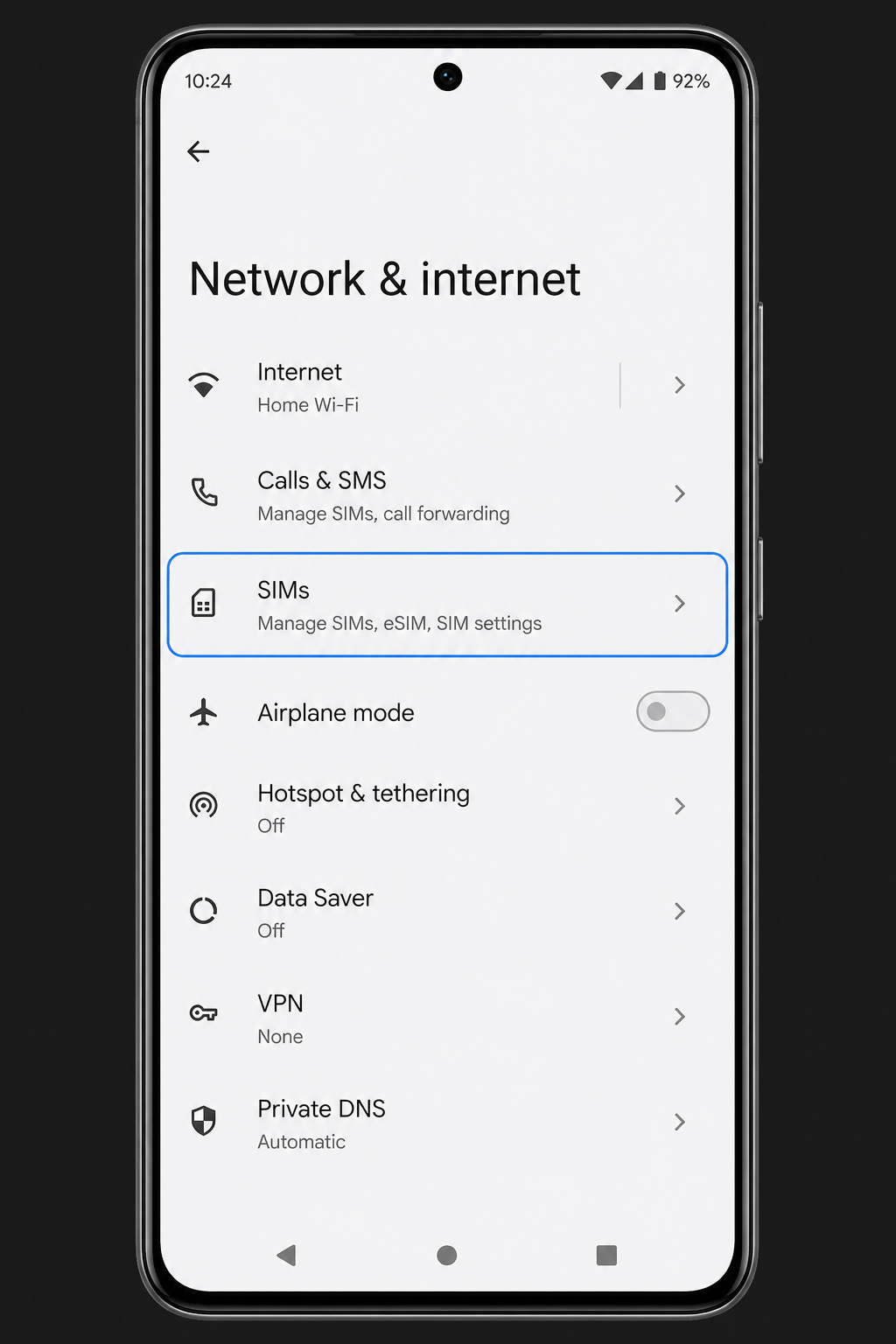
Go to Settings → Network & internet (sometimes Connections). Open SIMs, SIM cards, or SIM manager.
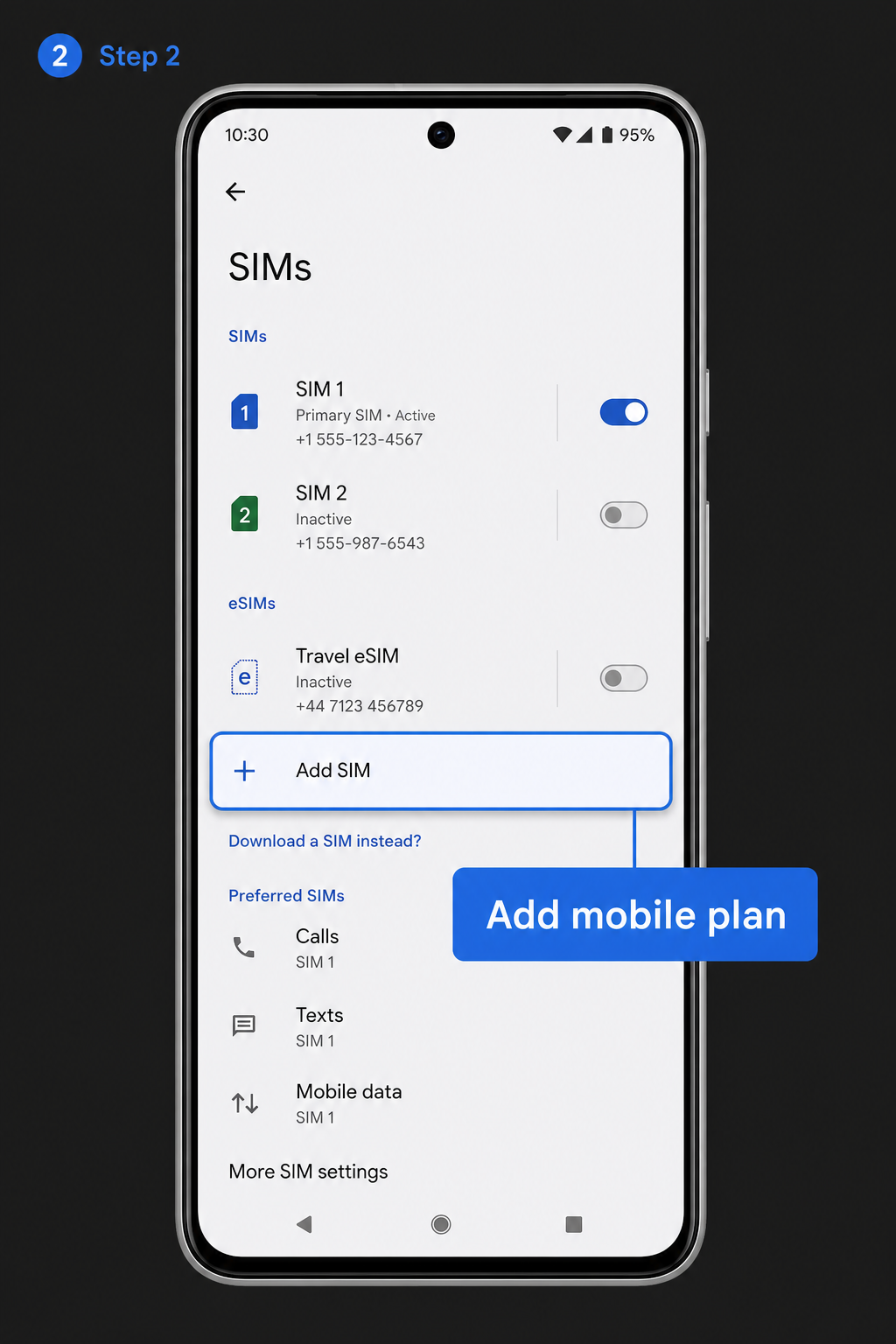
Add or download a SIM
Tap Add SIM, Download a SIM instead, or Add mobile plan. Confirm you want to use a new eSIM / downloaded SIM — not a physical tray swap.
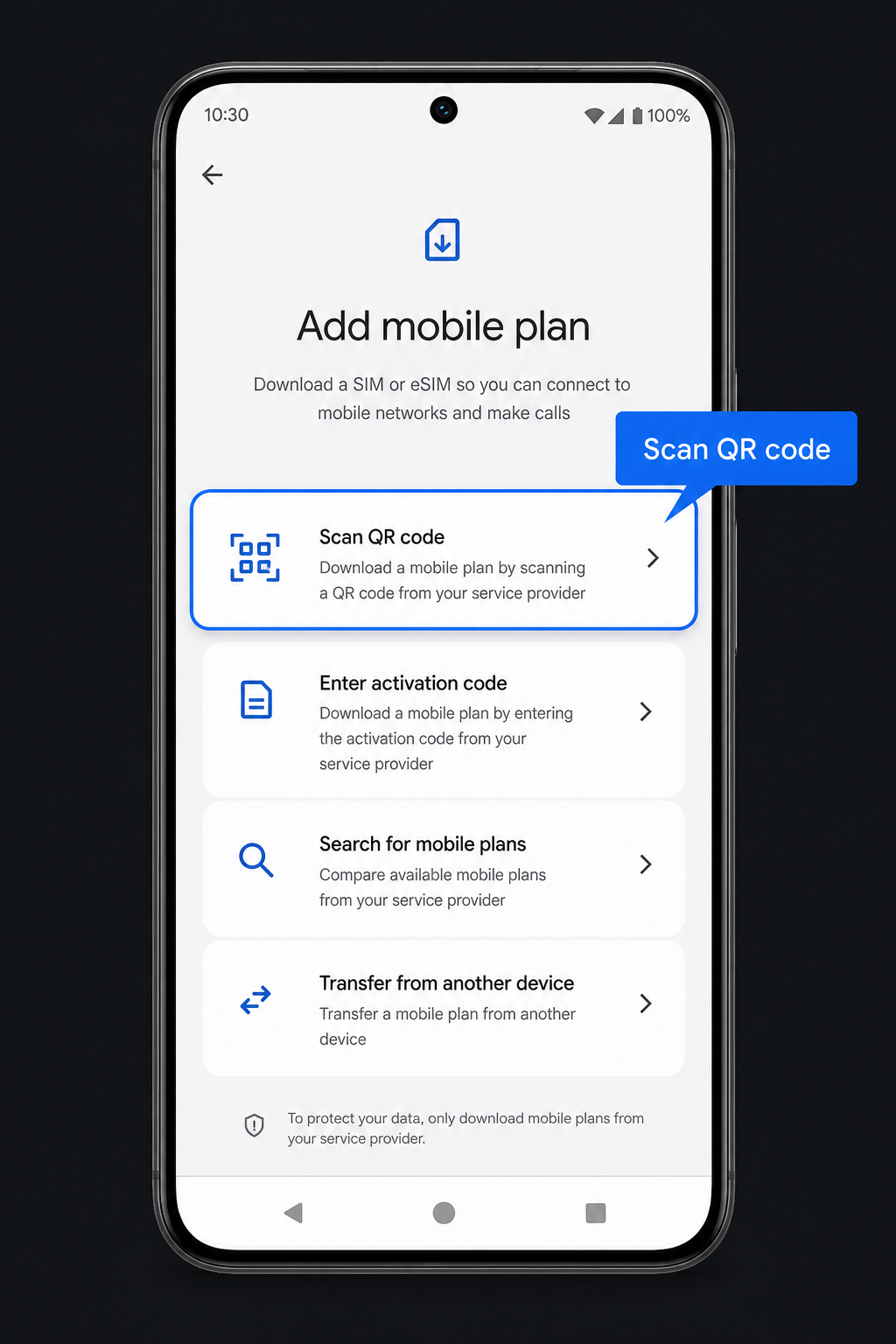
Choose Scan QR code
When asked how to add the plan, choose Scan QR code (not transfer from another device unless you know you need that).
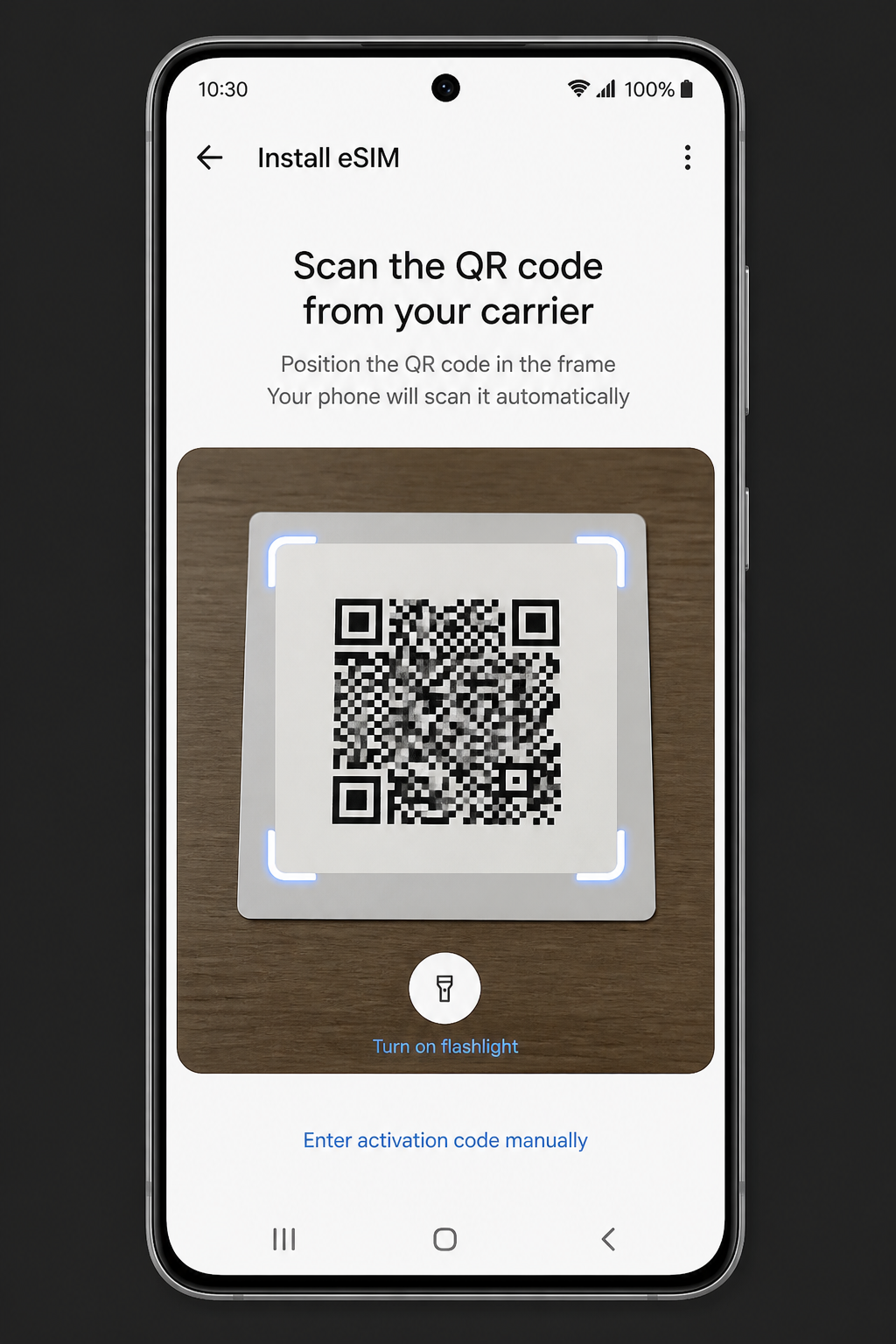
Scan and activate
Point the camera at the Bayanat QR from the app. Allow the download, name the SIM “Bayanat”, enable it for mobile data when you arrive, and confirm.
After install
- At your destination: enable the Bayanat SIM and turn Roaming ON for that SIM.
- Disable roaming (or mobile data) on your home SIM to avoid carrier roaming charges.
- Set Bayanat as the preferred SIM for mobile data.
- If there is no internet, toggle Airplane mode once, or restart the phone.
Quick answers
My phone has different menu names
Samsung often uses Connections → SIM manager. Xiaomi/Oppo may say Dual SIM & mobile networks. The QR scan path is the same idea on all brands.
Can I enter the code manually?
Yes. Choose Enter code manually and paste the SM-DP+ address and activation code from the Bayanat app.
Does hotspot work?
Most Bayanat plans allow hotspot where the partner network permits it. See the Hotspot how-to after you are online.
Our team replies 24/7 — include your order email and a screenshot if you can.