
“Switch carriers” usually means two things: (1) which SIM handles mobile data — your home line vs Bayanat — and (2) which local partner network the Bayanat eSIM attaches to. Do both from phone Settings; you do not need a new QR.
Before you start
- Bayanat eSIM already installed and labeled (e.g. “Bayanat”).
- You know which line is your home number vs Bayanat.
- Data Roaming is ON for the Bayanat line when you are abroad.
iPhone — switch which SIM uses data
Settings → Cellular → Cellular Data → choose Bayanat for travel data (or your home line when you are back). Under Cellular Plans you can also turn a line on/off. Keep your home line for calls/SMS if you want; just do not leave home Data Roaming ON abroad.
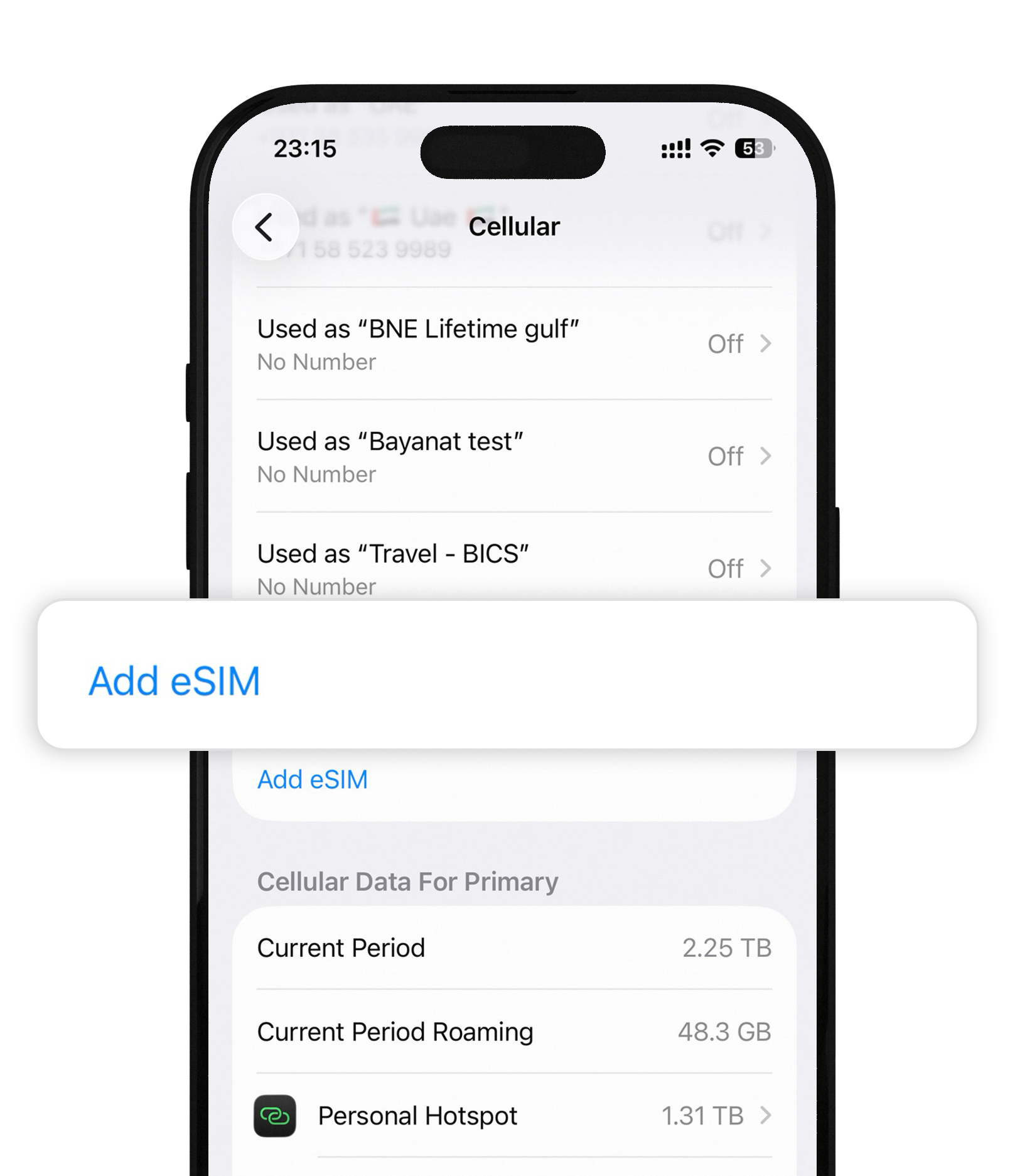
iPhone — pick a mobile network
Settings → Cellular → Bayanat line → Network Selection → turn Automatic off, then choose a listed carrier. Prefer networks shown as Supported Carriers in the Bayanat app. Turn Automatic back on when finished if you want the phone to roam freely again.
Android — switch data SIM
Settings → Network & internet → SIMs (or SIM manager) → Mobile data → select Bayanat. You can leave Calls / SMS on your home SIM. Disable roaming on the home SIM so it cannot burn carrier roaming data.
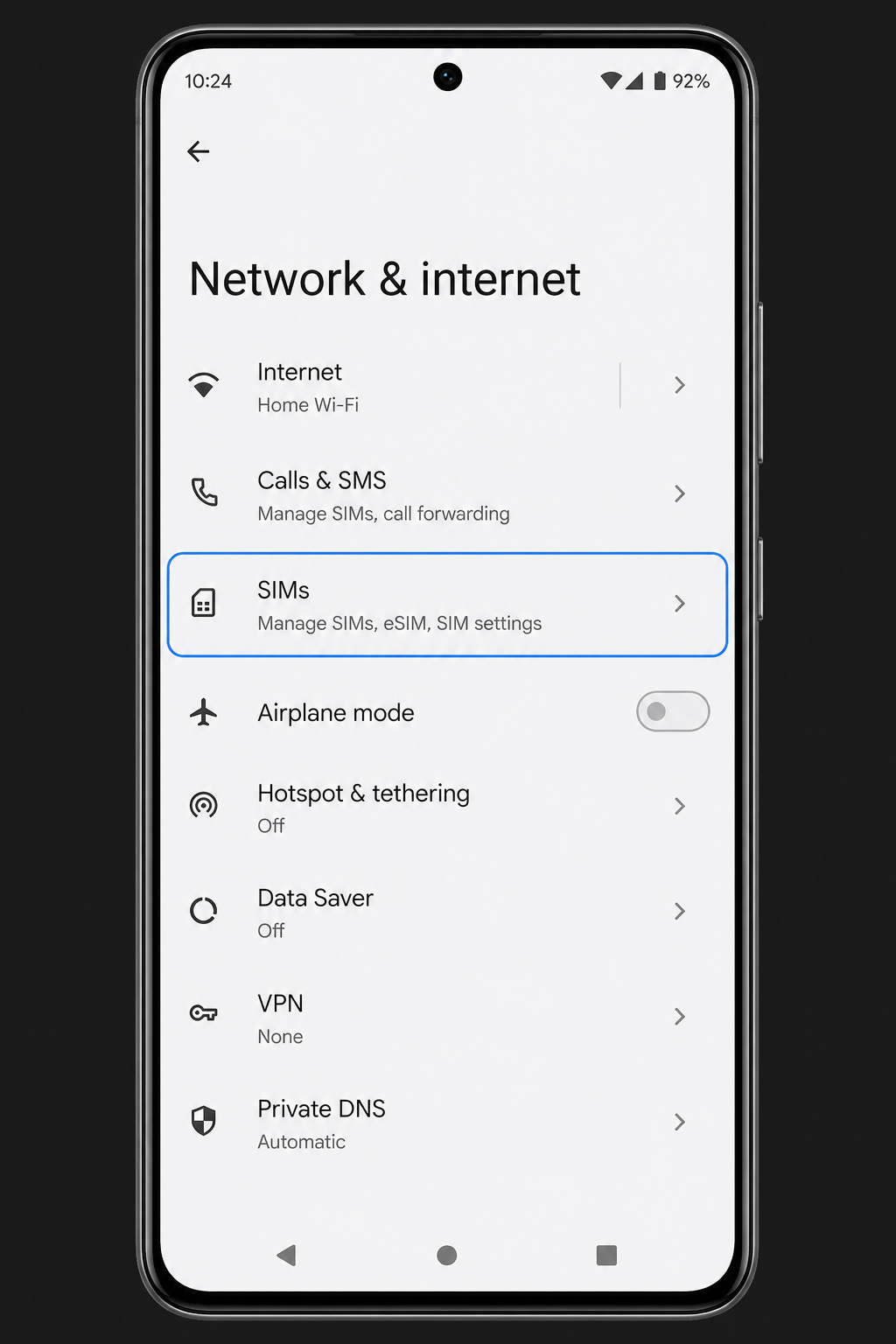
Android — manual network selection
Settings → Network & internet → SIMs → Bayanat → Access point names / Mobile network → Automatically select network → Off, then pick a partner from the list. If the list is empty, toggle Airplane mode or move outdoors, then retry. Return to Automatic when you leave that area.
After install
- Open a browser to confirm data works on the line you selected.
- If speed is poor, try another supported carrier from the app list.
- When you return home, set Cellular Data back to your primary SIM.
Quick answers
Will switching data to Bayanat stop my WhatsApp number?
No. WhatsApp uses whichever internet is available. Your phone number for WhatsApp stays the same; only the data path changes.
Automatic vs manual network — which is better?
Leave Automatic on unless you have no signal or very slow data. Manual selection helps when one partner is stronger in your city.
Our team replies 24/7 — include your order email and a screenshot if you can.